ctrl_loop
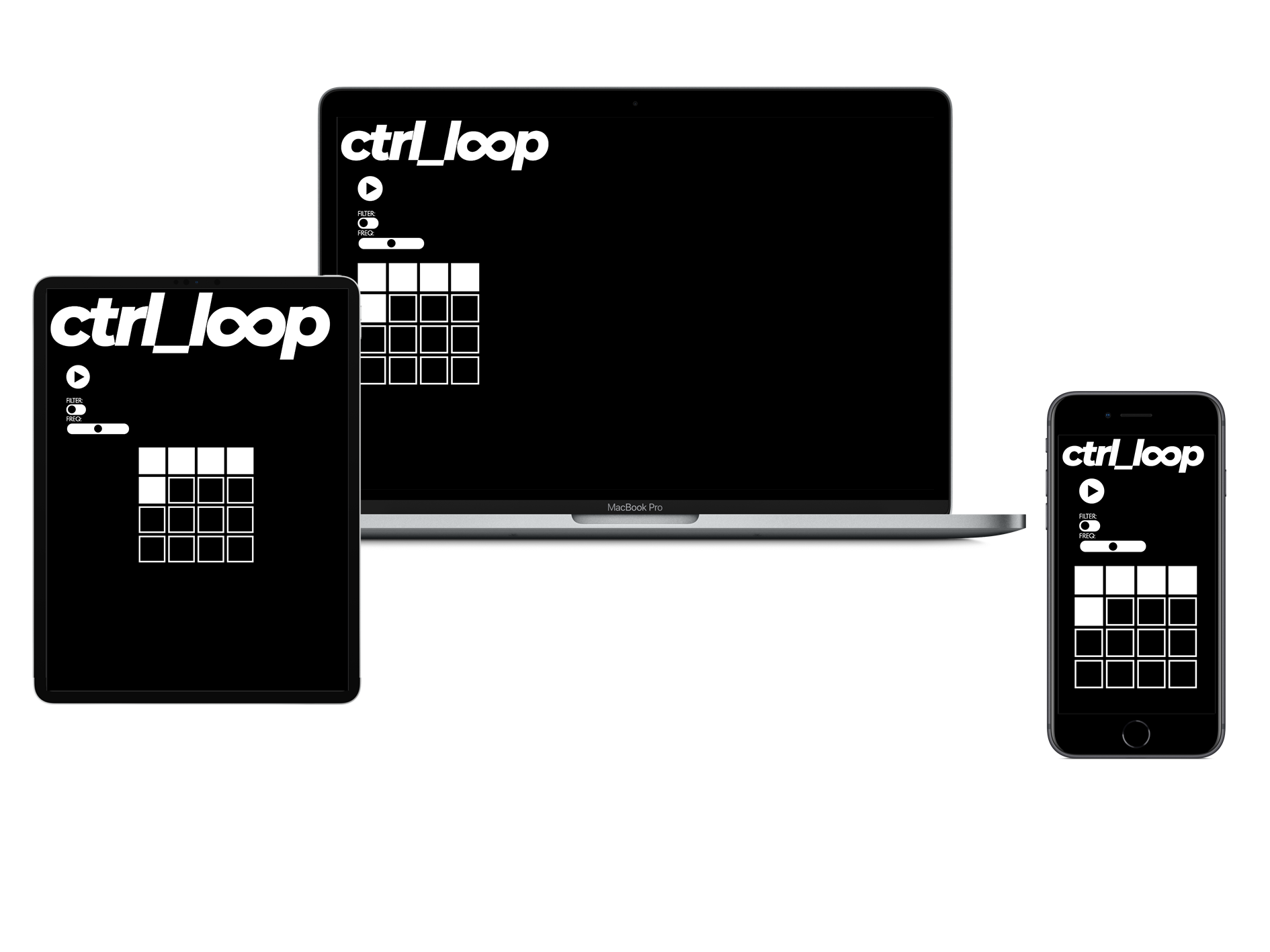
Ctrl_loop is a pet project of mine I began developing whilst I was first learning to code. The idea came about after having gone through the same experience repeatedly, much like some of my other musical friends, of putting out music online only for it to fall on deaf ears.
This gave me the idea that something more interactive, as opposed to a link to a track posted on soundcloud would likely sustain the attention spans of its visitors a little longer, or at least leave a lasting impression.
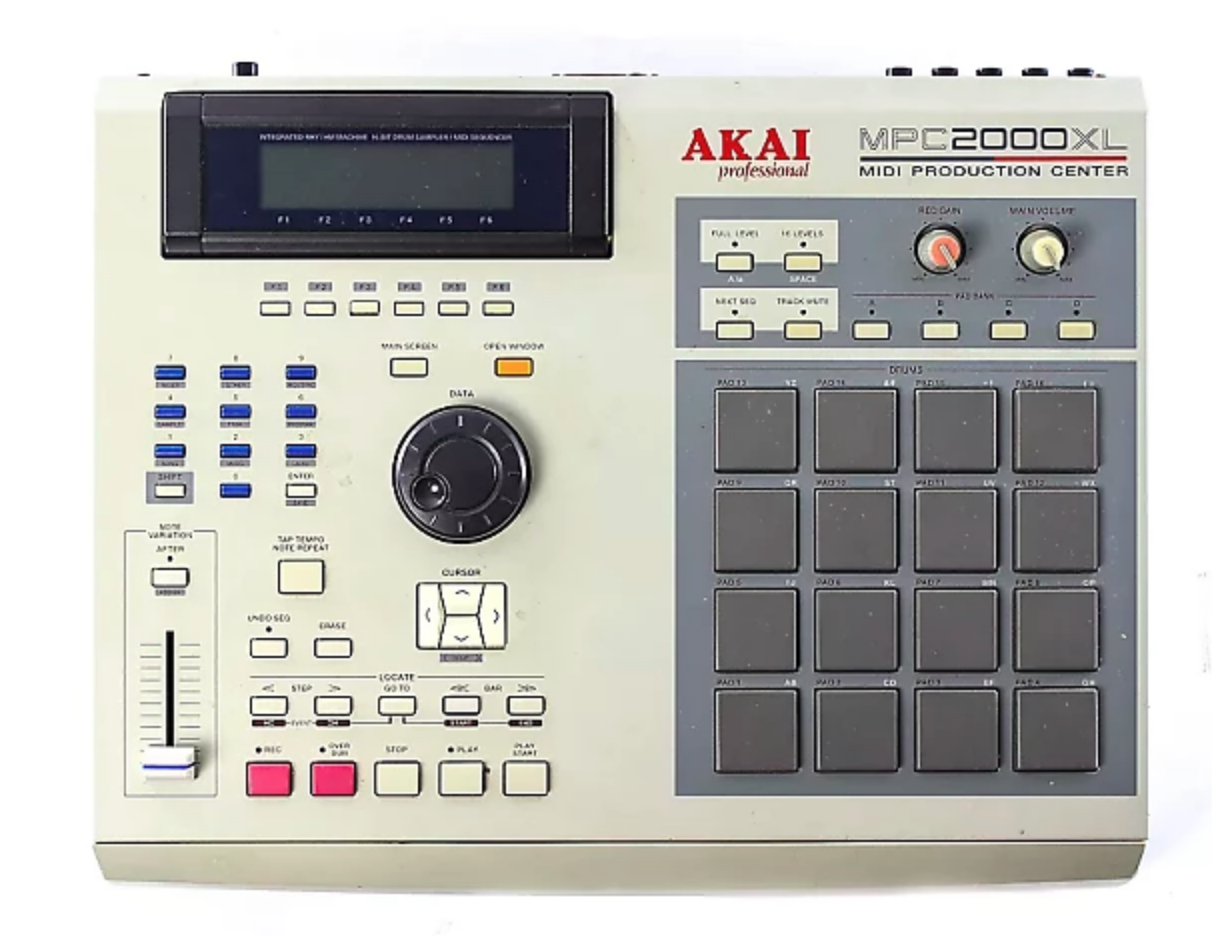
What I ended up with is a condensed, browser friendly version of ideas that already exist, namely the Akai MPC and Native Instrument’s Maschine. Whilst not a sampler, it contains 16 separate instrument tracks from a song produced by myself and controls to mute/unmute the sounds, a high pass filter effect which can be toggled on and off and of which the frequency can be altered via a range input. This way the user is given the tools to in effect, perform the song.
This idea lends itself well to genres of music based around looping different audio tracks (i.e. house, hip-hop, techno etc) and could be adapted and re-designed to incorporate album artwork or animations.
Design
The logo was created in Adobe Illustrator and the controls were based on the classic 90s sampler, the Akai MPC with its 4 x 4 grid of pads.
Development
To begin the project, I heavily referenced Boris Smus’s article on ‘Getting Started with Web Audio API’. I looked especially at his sections on muting/unmuting tracks and his example of a crossfade in order to understand how to play multiple synced audio tracks at the same time.